
Desk Life Habits That Make Long Sitting Feel Easier
Desk life has become a normal part of everyday routine for many people. Whether you work in an office, study from home, manage online tasks, attend virtual meetings, or use a laptop for hours, sitting at a desk is now part of modern life. At first, it may feel harmless. You sit down, open your laptop, start working, and before you realize it, several hours have passed.
The problem is that long sitting can slowly make the body feel tired, stiff, and uncomfortable. Your shoulders may feel heavy, your neck may become tight, your lower back may start hurting, and your eyes may feel dry after looking at a screen for too long. Many people ignore these small signs because they think discomfort is just part of work. But in reality, small desk life habits can make a big difference.
You do not need an expensive office chair, a luxury desk, or a perfect workspace to feel better. A few simple changes in your sitting position, break routine, lighting, desk setup, and daily work habits can make long sitting easier to manage.
Why Desk Life Feels So Tiring
Desk life can feel tiring because the body is not designed to stay in one position for many hours. When you sit for a long time, your muscles do not move much. Your back, shoulders, hips, hands, and eyes continue working in small ways, but they do not get enough rest or movement.
This is why you may feel tired even if you have not done any physical work. Sitting for hours can make the body feel heavy. Looking at a screen for a long time can make the eyes feel strained. Typing and using a mouse again and again can make the hands and wrists feel tired. Even your mind can feel exhausted when your workspace is crowded or your routine has no breaks.
Many people think the solution is to buy more office products. While good equipment can help, the real improvement usually comes from daily habits. How you sit, how often you move, how you arrange your desk, and how you manage your screen time all matter.
Adjust Your Sitting Position First
The first and most important habit is adjusting your sitting position. A better sitting position can reduce pressure on your body and make long working hours more comfortable. You do not need to sit perfectly all day, but your basic posture should support your body instead of forcing it into an uncomfortable shape.
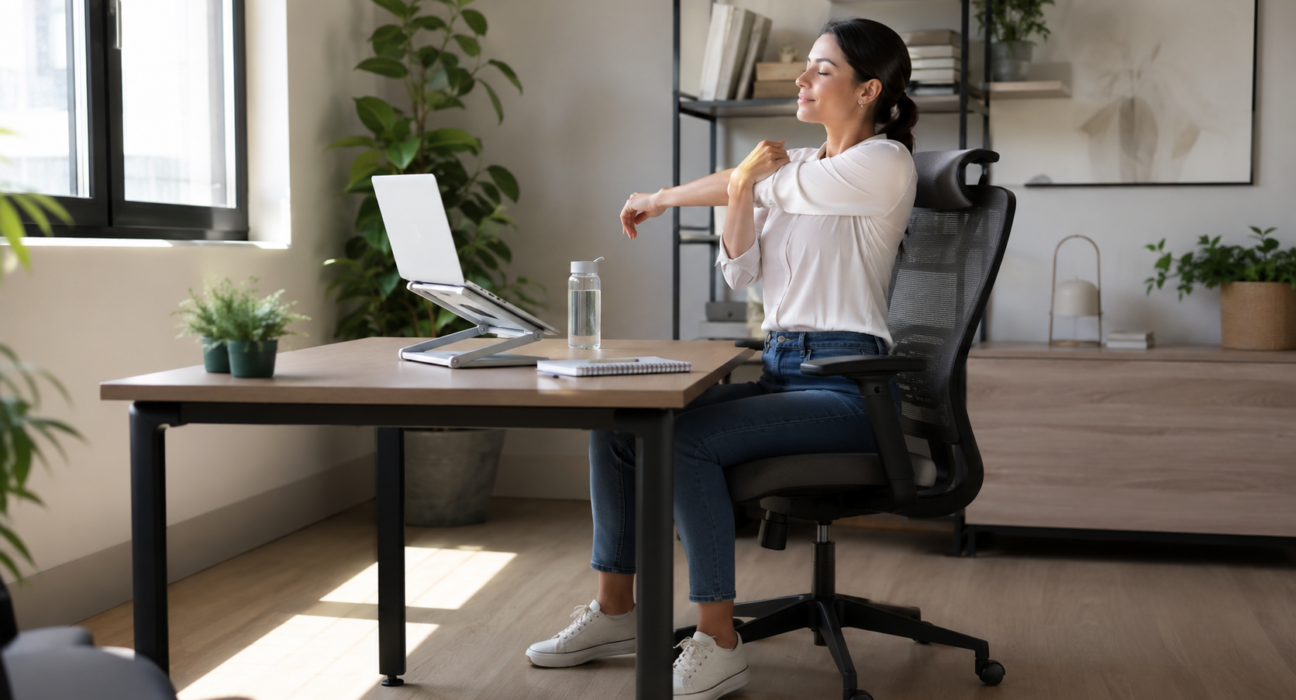
Try to keep your feet flat on the floor. If your feet do not reach the floor comfortably, use a small footrest or even a sturdy box. Your knees should feel relaxed, not too high and not hanging in the air. Your shoulders should stay relaxed instead of raised or tight.
Your back should feel supported. If your chair does not support your lower back, place a small cushion or folded towel behind your back. This simple adjustment can make sitting feel easier, especially during long work sessions.
Your screen should also be at a comfortable height. If your laptop is too low, you may bend your neck forward without noticing it. After some time, this can create neck and shoulder discomfort. Raise your laptop slightly by placing it on a stand or a few books. The goal is to keep your head in a natural position.
Do Not Stay in One Position for Too Long
Even a good sitting position can become uncomfortable if you stay in it for too long. The body needs movement. This does not mean you need to leave your desk for a long time. Even small movement breaks can help you feel better.
Try to stand up for one or two minutes after a long sitting period. You can walk to get water, stand near your desk, look outside, or move your shoulders gently. These short breaks may seem small, but they help your body reset.
Many people avoid breaks because they think breaks will reduce productivity. In reality, short breaks can improve focus. When your body feels stiff and your mind feels tired, your work becomes slower. A small break can refresh your body and help you return with better attention.
Keep Your Desk Clean and Simple
A clean desk can make desk life feel much easier. When your workspace is crowded with papers, cups, cables, wrappers, and unnecessary items, your mind also feels crowded. It becomes harder to focus when everything around you feels messy.
For a cleaner overall environment, you can also follow these simple ways to keep your home fresh every day. A fresh space often makes work feel lighter and more organized.
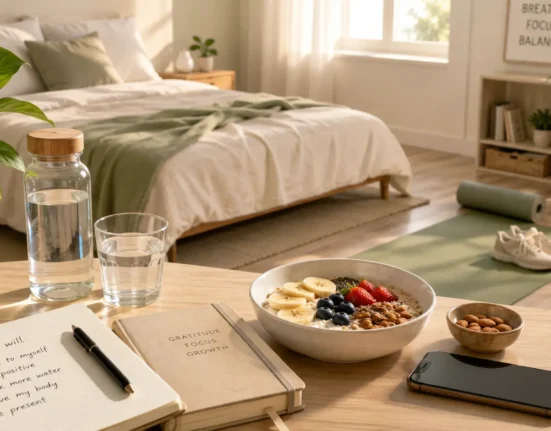
Try to keep only the things you use daily on your desk. This may include your laptop, notebook, pen, water bottle, phone, and one or two important items. Remove things that do not belong there. A simple desk creates a simple working environment.
You do not need to deep clean your desk every day. A quick five-minute reset is enough. At the end of your work session, throw away waste, arrange your papers, put extra items back in their place, and wipe the surface if needed.
Use Lighting That Feels Comfortable
Lighting plays a bigger role in desk life than many people realize. Poor lighting can make your eyes tired and your workspace feel dull. If the room is too dark and your screen is too bright, your eyes may feel strained after some time.
If possible, sit near natural light. Natural light makes the workspace feel open, fresh, and more pleasant. It can also help you feel more awake during the day. However, make sure sunlight does not directly hit your screen because glare can make it difficult to see.
If natural light is not available, use soft indoor lighting. Avoid working in a dark room with only a bright laptop or monitor. A balanced light source can reduce eye discomfort and make long work sessions easier.
Give Your Eyes Regular Rest
Your eyes work constantly during desk life. Reading emails, typing documents, watching videos, checking messages, and attending online meetings all require screen focus. Over time, your eyes can feel dry, tired, or heavy.
A simple habit is to look away from the screen regularly. Focus on something far away for a few seconds. This gives your eyes a short rest and helps reduce strain. You can look out of a window, at a wall clock, or at something across the room.
Blinking is also important. When people focus on screens, they often blink less without noticing it. This can make the eyes feel dry. Try to blink naturally and take small pauses during long screen sessions.
Relax Your Hands, Fingers, and Wrists
Desk work is not only hard on the back and eyes. Your hands, fingers, and wrists also work a lot. Typing, clicking, scrolling, and using a mouse for hours can create discomfort, especially if you never pause.
Keep your keyboard and mouse at a comfortable distance. Your arms should not feel stretched too far forward. Your wrists should feel relaxed, not bent sharply. If your hands feel tense, pause for a few seconds and gently move your fingers.
You can open and close your hands, rotate your wrists slowly, or simply rest your hands in your lap for a moment. These tiny breaks can help reduce tiredness during long work sessions.
Keep Water Near You
Hydration is a simple habit, but it is often ignored during desk work. Many people sit for hours with tea, coffee, or soft drinks but forget to drink water. When you are busy, it is easy to ignore thirst until you feel tired or low on energy.
Keeping a water bottle on your desk can help. When water is visible, you are more likely to drink it. You do not need to force yourself to drink too much at once. Small sips throughout the day are easier and more natural.
Drinking water also gives you a reason to move. When your bottle is empty, you can stand up and refill it. This adds a small movement break to your day without feeling like an extra task.
Build a Better Break Routine
Breaks are not only for rest. They are part of a healthy desk routine. A good break does not always mean scrolling on your phone. In fact, using your phone during every break may keep your mind busy instead of helping it relax.
Try to use some breaks without screens. Stand up, stretch lightly, walk a few steps, breathe slowly, or look outside. These simple actions can help your mind reset.
You can also divide your work into focused sessions. Work for a set amount of time, then take a short pause. This helps you stay consistent without feeling mentally overloaded.
Make Your Workspace Personal but Not Crowded
Your workspace should feel comfortable, but it should not become too crowded. A small personal touch can make your desk feel pleasant. This could be a plant, a simple notebook, a family photo, or a clean desk mat.
The key is balance. Too many decorative items can become distracting. Choose one or two things that make the space feel calm and personal. A workspace should support your focus, not compete for your attention.
End Your Desk Day Properly
One habit that many people forget is ending the desk day properly. When work ends suddenly, your desk stays messy, your mind stays busy, and the next day begins with confusion. A simple closing routine can make a big difference.
Before leaving your desk, save your work, close unnecessary tabs, write down unfinished tasks, and arrange your workspace. This takes only a few minutes, but it helps your mind feel clear.
Writing down tomorrow’s first task is also helpful. When you sit down the next day, you will know where to start. This reduces stress and helps you begin work more smoothly.
Comfort Is Part of Productivity
Many people think productivity means working longer, sitting longer, and pushing through discomfort. But real productivity is not only about time. It is also about energy, focus, and consistency. If your body feels tired and your workspace feels stressful, your work quality can suffer.
Comfort does not mean laziness. It means creating conditions that help you work better. A supportive chair, good lighting, short breaks, clean surroundings, and relaxed posture can help you stay focused for longer without feeling completely drained.
The Bottom Line
Desk life is common, but it does not have to feel uncomfortable every day. Long sitting can become easier when you make small changes in your routine. Better posture, regular breaks, clean surroundings, comfortable lighting, and eye rest can all support a healthier desk routine.
You do not need a perfect office or expensive setup. Start with one habit today. Adjust your sitting position, clean your desk, drink more water, or take a short standing break. Small habits may look simple, but when you repeat them daily, they can make a real difference.
FAQs
1. What are desk life habits?
Desk life habits are simple daily practices that help make long sitting, computer work, and study routines more comfortable and easier to manage.
2. How can I make long sitting easier?
You can make long sitting easier by improving your sitting position, taking short breaks, keeping your desk clean, drinking water, and using comfortable lighting.
3. Why are short breaks important during desk work?
Short breaks help refresh your body and mind. Even standing, walking, or stretching for a minute can reduce stiffness and improve focus.
4. How can I reduce eye strain during desk life?
You can reduce eye strain by looking away from the screen regularly, adjusting screen brightness, using comfortable lighting, and taking short screen-free breaks.
5. Do I need an expensive office setup for better desk comfort?
No, you do not need an expensive setup. Small changes like better posture, a clean desk, screen height adjustment, and regular breaks can make desk life more comfortable.
Author Bio
Pure Fit Day Work Wellness Team creates practical guides for people who spend long hours sitting, studying, or working on screens. Our content focuses on posture, daily comfort, healthy routines, home workspace habits, movement breaks, and simple lifestyle improvements.
References
- OSHA — Computer Workstations
- Health and Safety Executive — Display Screen Equipment
- Canadian Centre for Occupational Health and Safety — Office Ergonomics
- American Academy of Ophthalmology — Computer Use and Eyestrain
- Better Health Channel — Office Ergonomics
Disclaimer
This article is for general lifestyle and workplace wellness education only. It is not medical, ergonomic, or occupational health advice. If you have ongoing back pain, neck pain, wrist pain, numbness, eye discomfort, headaches, or any work-related health concern, speak with a qualified healthcare professional, eye specialist, physiotherapist, or workplace ergonomics professional.