

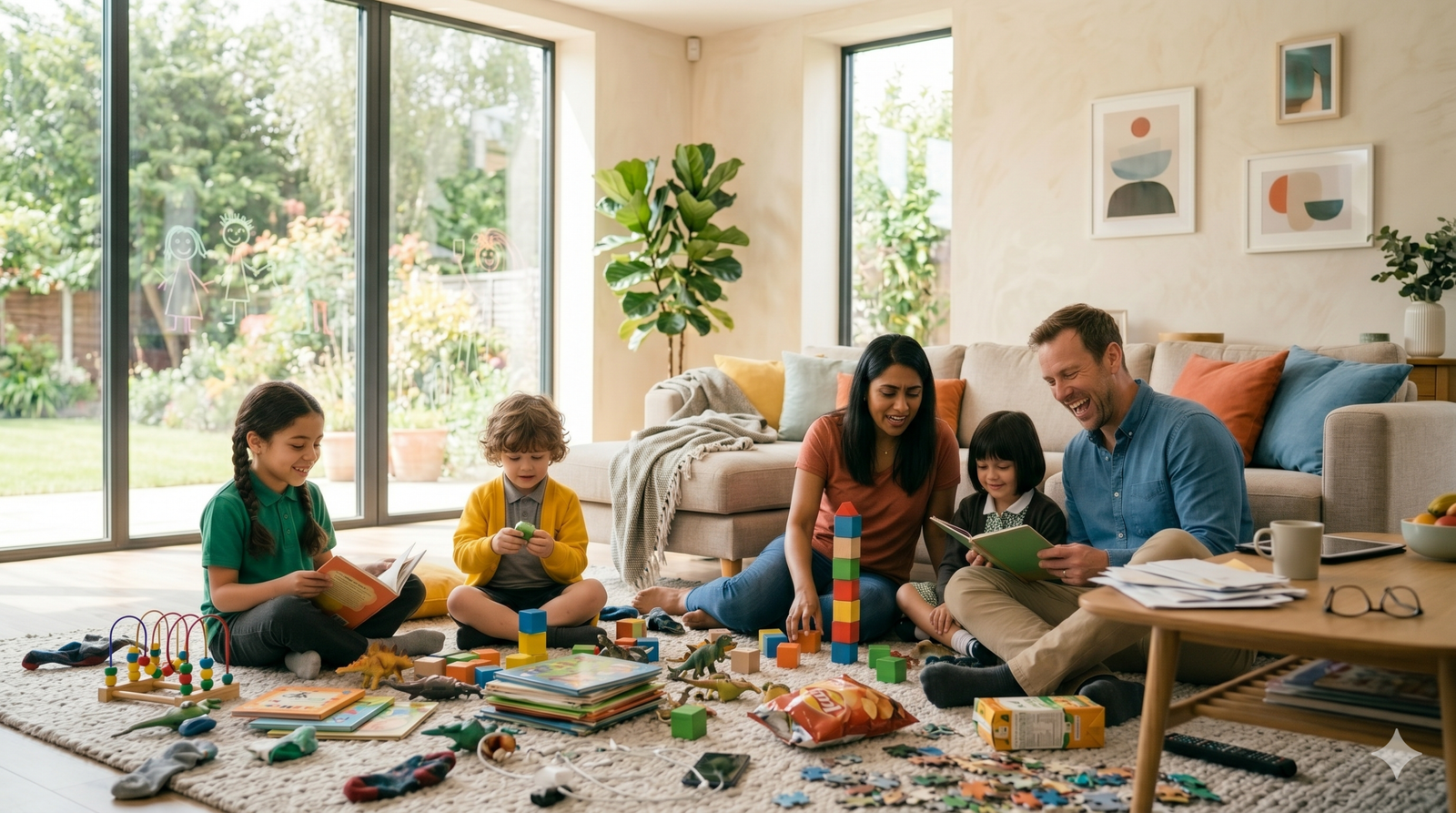
Screen Time Balance Tips for Children
Screen time balance for children is now an important part of modern parenting. Children use screens for cartoons, games, online learning, videos, homework, and communication. Technology can be helpful, but when screen use becomes too much, it can affect sleep, focus, mood, family time, and physical activity.
The goal is not to remove screens completely. The better goal is to teach children how to use screens in a healthy, limited, and meaningful way.
A balanced routine allows children to enjoy technology while still making time for movement, reading, creative play, outdoor activities, and family connection.
Digital Childhood Today
Childhood looks different today than it did years ago.
Many children are introduced to phones, tablets, and televisions at an early age. Some screen use may support learning, creativity, and communication. However, children still need real-world experiences to grow well.
They need time to:
- Move their bodies
- Talk with family
- Play creatively
- Read books
- Sleep well
- Explore outdoors
- Learn social skills
Healthy screen habits help protect these important parts of childhood.
Healthy Screen Use vs Unhealthy Screen Use
Not all screen time is the same.
Healthy screen use usually has a purpose. It may include educational videos, supervised learning apps, video calls with family, or creative activities.
Unhealthy screen use often happens when children watch random videos for long periods, use screens late at night, skip meals, avoid play, or become upset when devices are removed.
Parents can ask a simple question:
Is this screen time helping my child, or is it replacing something important?
That question can make decisions easier.
Create a Family Screen Agreement
Instead of changing rules every day, families can create a simple screen agreement.
A screen agreement may include:
- When screens are allowed
- Where screens can be used
- Which content is allowed
- How long children can use devices
- What happens before screen time
- What activities come after screen time
For example, a family rule may be:
Homework first, outdoor play second, screen time later.
Simple rules are easier for children to understand.
Best Screen-Free Times
Some parts of the day work better without screens.
During Meals
Meals are a chance for family conversation and mindful eating.
Before Bedtime
Screens before sleep can make it harder for children to relax.
During Homework
Phones and tablets can distract from focus unless needed for schoolwork.
During Family Time
Children benefit from attention, conversation, and connection.
During Outdoor Play
Outdoor time should allow children to move freely and explore.
These screen-free moments help create balance without removing technology completely.
Signs Your Child May Need Less Screen Time
Parents may notice signs when screen use becomes too much.
Common signs include:
- Trouble sleeping
- Less interest in toys or books
- Irritability when screens are removed
- Skipping outdoor play
- Reduced physical activity
- Difficulty focusing
- Less family interaction
- Frequent boredom without devices
These signs do not mean technology is bad. They simply show that the routine may need adjustment.
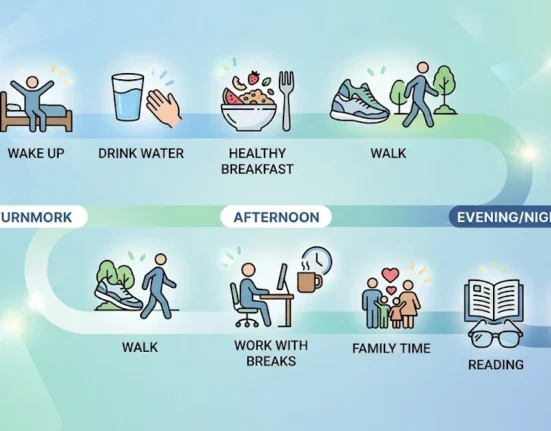
Build a Balanced Day
A healthy day should include more than screen use.
A balanced daily routine may include:
Morning
- Wake up calmly
- Eat breakfast
- Get ready for school
- Avoid unnecessary screens
Afternoon
- Homework
- Snack
- Active play
- Limited screen time
Evening
- Family dinner
- Reading or quiet activity
- No screens before bed
- Sleep on time
This kind of routine helps children understand that screens are only one part of the day.
Replace Screen Time with Better Choices
Children often ask for screens because they are bored.
Parents can keep simple alternatives ready, such as:
- Coloring books
- Storybooks
- Building blocks
- Puzzle games
- Craft supplies
- Board games
- Outdoor toys
- Music
- Indoor movement games
When children have enjoyable options, they are less likely to depend on screens.
Encourage Active Play
Physical activity is one of the best ways to balance screen use.
Children can stay active through dancing, jumping games, ball games, walking, cycling, or obstacle courses.
If you need more movement ideas, you can also read our guide on Fun Physical Activities for Kids at Home.
Active play helps children use energy, build coordination, improve mood, and sleep better.
Choose Content Carefully
Parents should pay attention to what children watch, not only how long they watch.
Better content is usually:
- Age-appropriate
- Calm
- Educational
- Positive
- Creative
- Easy to understand
Fast, noisy, or overly stimulating content may affect attention and mood in some children.
Watching together can also help parents understand what their child is learning or copying.
Weekend Screen Rules
Weekends can easily turn into long screen days.
A simple weekend plan may help:
- Outdoor play before screens
- Family activity before devices
- Screen breaks every hour
- No devices during meals
- No screens close to bedtime
This keeps weekends relaxed without allowing screens to take over the whole day.
How Parents Can Model Better Habits
Children copy what they see.
If adults use phones during meals, conversations, or bedtime, children may see that as normal.
Parents can model better habits by:
- Putting phones away during meals
- Avoiding scrolling during family time
- Reading books
- Taking walks
- Limiting phone use before bed
- Choosing offline hobbies
A child learns balance more easily when the whole family practices it.
Screen Time and Emotional Wellness
Some children use screens when they feel bored, tired, sad, or upset.
Parents can gently teach other ways to manage emotions.
Helpful alternatives include:
- Talking about feelings
- Drawing
- Playing outside
- Reading
- Hugging a parent
- Listening to music
- Deep breathing
Screens should not become the only comfort tool for children.
Final Thoughts
Screen time balance for children is about building healthy digital habits, not creating fear around technology.
Screens can be useful when they support learning, creativity, or communication. But children also need sleep, movement, family connection, outdoor play, reading, and imagination.
With clear rules, screen-free times, active play, and parent guidance, children can learn to use screens in a healthier way.
The goal is balance, not perfection.
FAQs
1. What is a healthy amount of screen time for children?
It depends on age, routine, school needs, and family rules. The main goal is to make sure screens do not replace sleep, activity, meals, learning, and family time.
2. Should children use screens for learning?
Yes, educational screen time can be useful when it is age-appropriate, supervised, and balanced with offline activities.
3. Why should screens be avoided before bed?
Screens may keep children mentally alert and make it harder for them to relax before sleep.
4. What can children do instead of watching videos?
Children can read, draw, build with blocks, play outside, do puzzles, dance, or join family activities.
5. How can parents reduce screen time without arguments?
Clear rules, advance warnings, screen-free routines, and fun alternatives can make transitions easier.
6. Is background TV a problem?
Background TV can distract children from play, conversation, and focus, so it is better to turn it off when no one is actively watching.
7. How can families manage weekend screen time?
Families can set weekend limits, plan outdoor activities, keep meals screen-free, and avoid screens before bedtime.
8. What is the best way to teach screen balance?
Parents can model healthy screen use, create simple rules, and offer enjoyable offline activities.
Author Bio
About the Author
Rebecca James writes about digital wellness, parenting routines, child development, and healthy family habits. Her content focuses on helping parents create practical, balanced routines for children in a modern home environment.
References
- HealthyChildren.org – Media Use and Children
- Common Sense Media – Screen Time Guidance
- UNICEF – Children and Digital Technology
- Sleep Foundation – Screen Time and Sleep
- Internet Matters – Children’s Online Safety
Disclaimer
Digital Wellness Disclaimer
This article is for educational purposes only. Screen time needs may vary based on a child’s age, development, school requirements, health, and family routine. Parents and caregivers should seek professional guidance if screen use is affecting sleep, behavior, learning, mood, or daily functioning.



Leave feedback about this